Guide 1 of 3

Getting Started with Moza R3

Before you touch a single bolt, this guide walks you through everything you need to know upfront. You'll get a clear overview of your Moza R3 Bundle components, a pre-setup checklist to confirm you have the right tools and workspace, and a preview of the full setup journey ahead — so there are no surprises along the way.

  • 1 Understand exactly what comes in the Moza R3 Bundle box
  • 2 Complete the pre-setup checklist covering tools, workspace, and system requirements
  • 3 Preview the three-stage setup journey so you know what's ahead

What is the Moza R3 Bundle?

The Moza R3 Bundle is an all-in-one direct drive sim racing kit designed specifically for beginners who want real force feedback performance without the complexity of building a rig from scratch. Everything you need to get on the virtual track arrives in a single box — no hunting for compatible parts, no guesswork on compatibility.
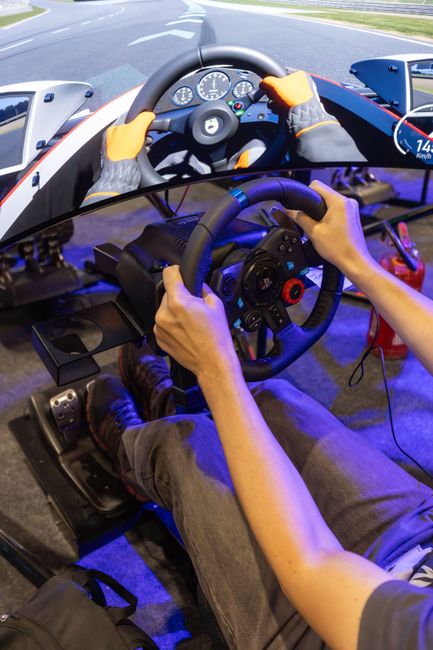
Moza R3 Bundle laid out showing the direct drive wheelbase, steering wheel, and pedal set

The Moza R3 Bundle includes all three core components shown above, ready to assemble straight out of the box.

What's Included in the Box

Moza ships the R3 Bundle as a curated package. Before you begin setup, confirm you have all three components present and undamaged.

  • Direct Drive Wheelbase

    The heart of the R3 Bundle. The Moza R3 wheelbase uses direct drive technology — meaning the motor connects directly to the steering shaft — delivering precise, realistic force feedback without the mechanical loss of belt or gear systems. For a beginner, this means your steering wheel responds exactly as it would in a real car.

  • Steering Wheel

    The bundled steering wheel attaches directly to the wheelbase via a quick-release hub. It features buttons and paddle shifters so you can control in-game functions without leaving the wheel. The quick-release system means swapping wheels later — when you're ready to upgrade — is straightforward.

  • Pedal Set

    The R3 pedal set includes a throttle, brake, and clutch pedal. The pedals connect to your PC via USB independently from the wheelbase, making them easy to position and mount. For beginners, having a dedicated brake and throttle pedal dramatically improves control compared to using a gamepad.

Why the Moza R3 Bundle is Ideal for Beginners

Most sim racing setups require sourcing a wheelbase, wheel, pedals, and mounting hardware separately — each from different manufacturers, each requiring compatibility checks. The Moza R3 Bundle eliminates all of that. Every component is engineered to work together, the price point is accessible for a first rig, and Moza's Pit House software provides a single interface to configure everything. SHRK Rigs guides are built specifically around this bundle, so every step you follow on this site applies directly to what is in front of you.

Plug-and-Play Compatibility

All three components are designed to work together from day one. No compatibility research required.

Direct Drive at an Entry Price

The R3 brings direct drive force feedback to beginners at a price point that was previously only achievable with belt-driven systems.

Unified Software Control

Moza's Pit House software manages the wheelbase, steering wheel, and pedals in one place — no juggling multiple apps.

Pre-Setup Checklist

Before you begin assembling your Moza R3 Bundle, work through each item on this checklist. Confirming everything is in order now will save you time and frustration later. Tick off each item before moving to the Hardware Assembly Guide.

1

Required Tools

Gather the following tools before you start. All required hardware is included with the Moza R3 Bundle, but having these on hand ensures a smooth build.

  • Allen key set (M3, M4, M5 — included in box)
  • Phillips-head screwdriver (medium)
  • Flat work surface or table (recommended)
  • Cable ties or velcro strips (optional, for cable management)
2

Workspace Preparation

Set up your workspace before unpacking. A clean, well-lit area makes the assembly process significantly easier and reduces the risk of losing small components.

  • Clear a flat surface at least 1.5m x 1m in size
  • Ensure adequate lighting to read component labels clearly
  • Keep a PC or phone nearby to follow this guide during assembly
  • Place a soft cloth or mat on the surface to protect components
3

Verify All Bundle Parts Are Present

Unbox all Moza R3 Bundle packaging and verify every component is accounted for before you begin assembly. Contact Moza support immediately if any item is missing or damaged.

  • Moza R3 Direct Drive Wheelbase
  • Moza ES Steering Wheel (or included wheel variant)
  • Moza SR-P Lite Pedals
  • Power supply and AC power cable
  • USB-A to USB-B cable (wheelbase to PC)
  • RJ-12 pedal cable
  • Mounting clamps and hardware bag (bolts, washers, Allen keys)
  • Quick-release hub adapter
4

System Requirements Check

Confirm your PC meets the minimum requirements for the Moza R3 driver package and Pit House software before proceeding. Running on an unsupported system may cause configuration issues.

  • Operating System: Windows 10 (64-bit) or Windows 11
  • RAM: 4 GB minimum (8 GB recommended)
  • Available USB-A port (USB 2.0 or higher)
  • Internet connection to download Moza drivers and Pit House
  • 500 MB free disk space for software installation
  • Administrator access to install drivers

Ready to Proceed?

Once you have confirmed all tools are gathered, your workspace is prepared, every bundle component is accounted for, and your PC meets the system requirements, you are fully ready to begin assembly. Proceed to the next section to understand what the full setup journey looks like before you pick up your first Allen key.

What to Expect

Before you dive in, here is a clear picture of the full setup journey. There are three main stages to get your Moza R3 Bundle up and running. Each stage builds on the last, and together they take most beginners between 60 and 90 minutes from unboxing to racing.

1

Hardware Assembly

Moza R3 hardware components laid out ready for assembly

Mount the Moza R3 wheelbase, attach the steering wheel, and connect the pedal set. You will follow a numbered step-by-step guide with no specialist tools required.

  • Estimated time: 30–45 minutes
  • Tools needed: Included hex keys only
  • Difficulty: Beginner-friendly
2

Driver Installation

Computer screen showing Moza R3 driver download page

Download and install the official Moza R3 driver package on your PC. This step ensures your operating system recognises the wheelbase and pedals as input devices.

  • Estimated time: 10–15 minutes
  • Requirement: Windows 10 or Windows 11
  • Difficulty: Straightforward install wizard
3

Software Configuration

Moza Pit House software interface showing R3 configuration panel

Launch Moza Pit House, update firmware, create your driver profile, and configure force feedback settings. You will also set up in-game controls inside your chosen sim title.

  • Estimated time: 20–30 minutes
  • Software needed: Moza Pit House (free)
  • Difficulty: Guided step-by-step

Your full setup at a glance

Most beginners complete all three stages in a single sitting of 60 to 90 minutes. Each guide page on SHRK Rigs walks you through one stage in full — you can read at your own pace, reference any section at any time, and pick up exactly where you left off. No videos to scrub through. No PDFs to download.

If you have already completed hardware assembly and just need the driver and software steps, you can jump straight to that guide using the navigation above. Every guide is self-contained.

No prior experience needed

Every instruction assumes you are starting from zero. Nothing is left unexplained.

Mobile-optimised for bench reference

Read the guide on your phone while your hands are on the hardware — no awkward pinching or zooming.

Moza R3 Bundle specific

Every step, screenshot, and tip refers to your exact hardware — no irrelevant content from other wheel ecosystems.

Ready to Build Your Rig?

You've confirmed your parts, prepped your workspace, and reviewed the full setup journey. The next step is physical assembly — and it's easier than you think. Head over to the Hardware Assembly Guide for clear, numbered instructions that walk you through mounting the Moza R3 wheelbase, attaching the steering wheel, and positioning your pedals correctly the first time.

Tip: Keep this Getting Started page bookmarked — you can return to the pre-setup checklist at any time while working through your build.